

Sahabat Insurance Share Kindness Through a Ramadhan Blessings activity

Terakhir Diubah : 02:30:52 - Friday, 14 March 2025
Berita - Sahabat Insurance Share Kindness Through a Ramadhan Blessings activity - Sahabat Insurance | Solusi Lengkap Perlindungan Asuransi Anda

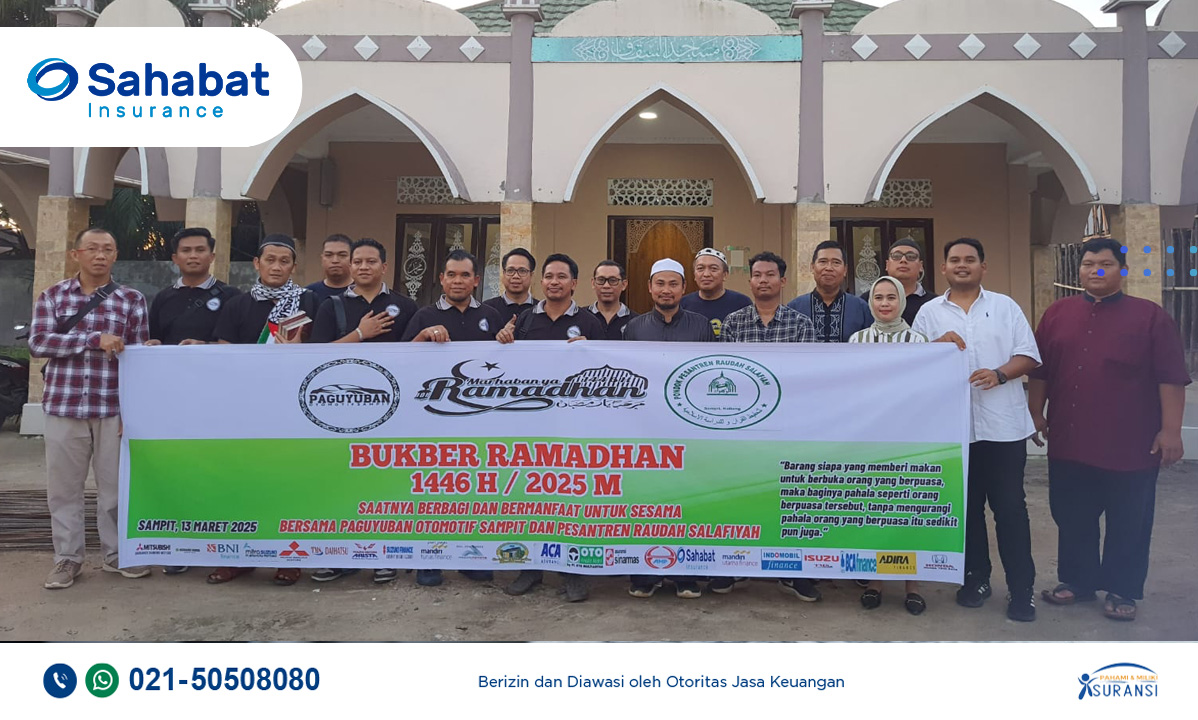
Holy Month Ramadan, Sahabat Insurance share kindness through a Ramadhan blessings activity. Sahabat Insurance Banjarmasin partnering with Paguyuban Otomotif Sampit  to support the renovation of the Wudu and washroom area at the Raudah Salafiyah Islamic Boarding School, which was completed on Friday, March 7, 2025. This program was part of the Company’s Social Responsibility (CSR) program.

On Thursday, March 13 2025, Sahabat Insurance Banjarmasin with Paguyuban Otomotif Sampit carried out  a breaking fast event which was held at the Raudah Salafiyah Islamic boarding school, Sampit, Central Borneo.

In 2024, during the momentum of Ramadan, the Sampit Automotive Association also helped donate the digging of a 75-meter deep well, the construction of pipelines and a water reservoir which cost Rp35 million.

(source: radarsampit.jawapos.com )

Berita Lainnya

Tas hilang saat travelling! Apa saja yang harus dilakukan?

You’ve just gotten off the plane and you’re in a new country, ready for an amazing vacation! But time passes and the bags from your flight is missing.  Do not panic. Here are the steps you must take if you lose your items while on vacation abroad:

Report to the nearest police station
Immediately report it to the nearest police station. Although the item may not necessarily be found, at least you will get a loss certificate which of course you really need for an insurance claim.

Come to the Embassy of the Republic of Indonesia (KBRI)

If the lost item is a passport, immediately go to the local Indonesian Embassy (KBRI) or the local Consulate General of the Republic of Indonesia (KJRI) to arrange for making a Passport-like Travel Letter (SPLP) as a passport replacement.

Insurance claim
The next step is to make a claim to the insurance. Contact Travel Insurance Sahabat Insurance and prepare the required documents, including: boarding pass/ticket, passport, loss certificate from the police, receipt of the claimed item (if not available, then include information on the type of item and the price of the item claimed), Travel Letter Like a passport and receipt for making a new passport if the lost passport is. Documents that must be completed may vary depending on your claim needs. Immediately complete the documents requested by the insurance so that you can get an insurance claim quickly.
For Travel Insurance, please call Sahabat Insurance 021-50508080.

Virtual Account - Sahabat Insurance

Virtual Account - Sahabat Insurance

In order to improve the quality of our services, we facilitate premium payments with payment services via Virtual Account (VA) which will be listed on every insurance policy of PT Asuransi Sahabat Artha Proteksi.

A Virtual Account is a digital payment method through an account that is created virtually for each customer. To make payments, customers will be referred to their own Virtual Accounts. A Virtual Account consists of a unique customer ID (you can find it in your premium note).

Following are the procedures for payment via BCA Virtual Account (VA):

m-BCA
1. Open m-BCA, select “m-Transfer”.
2. Select “BCA Virtual Account”.
3. Enter the Virtual Account number  and click “OK”.
4. Input your transfer amount and click “OK”.
5. Confirm the transaction detail and click “OK”.
6. Enter m-BCA PIN.
7. Transaction is successful.

ATM BCA
1. Insert your BCA debit card and enter your PIN.
2. Select "Other Transaction”.
3. Select "Transfer”.
4. Select "BCA Virtual Account”.
5. Input "Virtual Account Number"  select “OK”.
6. Input your transfer amount  and click “OK”.
7. Confirm the transaction detail and click “OK”.
8. Your transaction is complete.

Transfer From Other Bank 

Via Apps
1. Oper your Apps, input your code, select “Transfer”.
2. Select “Transfer - Other Bank”.
3. Select Bank BCA (014).
4. Enter your Virtual Account code on Beneficiary Account.
5. Input transfer amount, select “OK”.
6. Confirm the transaction detail, select “OK”.
7. Enter your PIN.
8. Transaction is successful.

Via ATM
1. Insert your card, input PIN, select “Transfer”.
2. Select “Transfer - Other Bank”.
3. Select Bank BCA (014).
4. Enter your Virtual Account code on Beneficiary Account.
5. Input transfer amount, select “OK”.
6. Confirm the transaction detail, select “OK”.
7. Enter your PIN.
8. Transaction is successful.

For more info please call Sahabat Insurance 021-50508080 or email us: [email protected]