
Jakarta's Odd Even Regulations

Terakhir Diubah : 03:53:36 - Friday, 22 July 2022

Berita - Jakarta's Odd Even Regulations - Sahabat Insurance | Solusi Lengkap Perlindungan Asuransi Anda

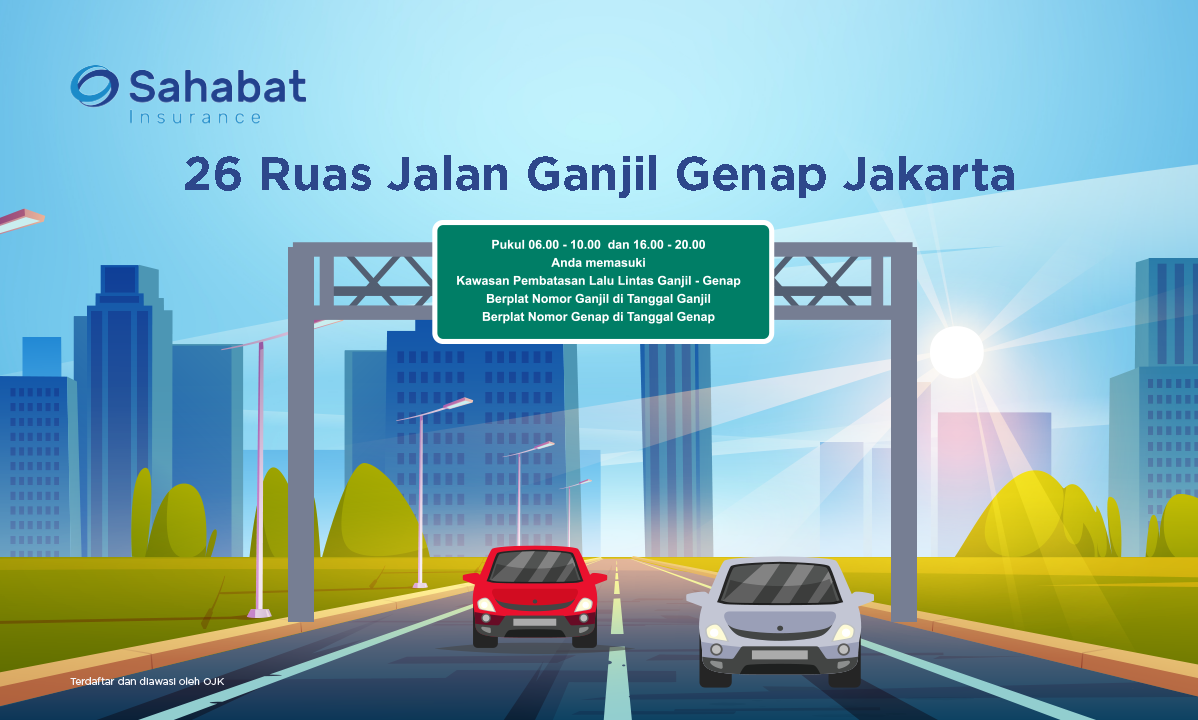
Jakarta's Odd Even Regulations on 26 road sections has also been stated in the Governor's Regulation number 88 of 2019 concerning Amendments to Regulation Number 155 of 2018 concerning Traffic Restrictions with an Odd Even Regulations

"The results of the meeting agreed that the Odd Even Regulations will be reactivated to Pergub number 88 of 2019 which means that currently through arrangements for 13 roads, this will be reactivated on 25 roads," said Head of the DKI Jakarta Transportation Agency, Syafrin Liputo, Wednesday, May 25, 2022. (liputan6.com)
The following are the locations for the 26 Odd Even Regulations to be implemented:

1. Jalan Pintu Besar

2. Jalan Gajah Mada

3. Jalan Hayam Wuruk

4. Jalan Majapahit

5. Jalan Medan Merdeka Barat

6. Jalan MH Thamrin

7. Jalan Jenderal Sudirman

8. Jalan Sisingamangaraja

9. Jalan Panglima Polim

10. Jalan Fatmawati

11. Jalan Suryopranoto

12. Jalan Balikpapan

13. Jalan Kyai Caringin

14. Jalan Tomang Raya

15. Jalan Jenderal S Parman

16. Jalan Gatot Subroto

17. Jalan MT Haryono

18. Jalan HR Rasuna Said

19. Jalan D.I Pandjaitan

20. Jalan Jenderal A. Yani

21. Jalan Pramuka

22. Jalan Salemba Raya sisi Barat

23. Jalan Salemba Raya sisi Timur mulai dari Simpang Jalan Paseban Raya sampai Jalan Diponegoro

24. Jalan Kramat Raya

25. Jalan Stasiun Senen

26. Jalan Gunung Sahari.

Berita Lainnya

Motorcycle safety tips

Motorcyclists must be mindful of their surroundings and the other cars around them. The flow of traffic can change at any moment. Even small distractions can lead to serious injuries. It is important to drive safely because it can save your life.
1.     Preparing the vehicle
Before you use a motorcycle, you should prepare your vehicle starting from checking all vehicle components, such as tires, lights, and others.
2.     Using safety equipment
In riding a motorcycle, it is important that you use safety equipment such as jackets, helmets, trousers, masks, gloves, shoes and so on. The use of such equipment will help you be protected during the trip.
3.     Good driving attitude
In riding a motorcycle, you should have a good driving attitude where you sit on the motorcycle in a straight upright position but remain relaxed, make sure you look ahead, do not lift your legs to other places for any reason, do not ride more than one person and goods heavy baggage.
4.     Keep your distance when driving
When you ride a motorcycle, make sure you use a certain speed in every condition. You have to adjust the speed according to the conditions. And keep in mind don't forget to keep your distance while driving. Keeping your distance will help you from accidents or collisions due to sudden braking.
To minimize this, as a smart driver, you should observe your driving speed and adjust it to the distance in front of you. The higher the speed you use, the longer the distance that needs to be prepared.
5.     Stay focused and alert
When driving, you should stay focused and alert while driving. Many motorists feel confident about their driving abilities, they sometimes feel that accidents are impossible. However, it should be noted that such an attitude will create carelessness and carelessness. Keep in mind that no matter how good you drive, you still need to be focused and alert.
6.     Obey traffic rules and signs
The most important thing in driving is to obey all traffic rules and signs along the way. Use the turn signal when you are about to turn. Make sure you obey all traffic rules and signs.


The functions of the hazard lights

1. Use in an emergency
In accordance with the Law on Road Transport Traffic (LLAJ) Article 121 paragraph 1, every motorized vehicle driver is required to install a safety triangle, a hazard warning signal light, or other signals when stopping in an emergency situation on the road. For example, your vehicle stops due to an emergency during a breakdown, a traffic accident, or other conditions such as a tire that needs to be replaced. If you are in an emergency situation, then immediately pull over and press the hazard lights.
2. As a warning sign
The next function of the hazard light is as a warning sign. While driving on the road, there are times when you meet an emergency situation that can threaten your safety.
For example, your brakes don't work, or someone suddenly crosses the road, or other conditions that require you to stop suddenly in the middle of the road.
3. Not for Use in Bad Weather
A misunderstanding about the function of hazard lights is to use them in bad weather such as heavy rain or heavy fog.
Turning on the hazard lights when the weather is bad can actually endanger safety. This is because when the hazard light is active, the automatic turn signal cannot function. If you want to give a turn signal, the vehicles behind you will have a hard time understanding it.
4. Not a signal when entering the tunnel
Turning on the hazard lights when entering the tunnel should be avoided. The hazard light signal will actually confuse the driver of the motor vehicle behind you. When entering a dark tunnel or passage, simply turn on the main light or evening light to maintain visibility.
5. Not for convoys
There are still many car drivers who misinterpret the use of hazard lights. One of them is to use hazard lights during convoys or convoys.
It can be concluded that the actual hazard light function should only be used in an emergency, such as when an accident occurs or the car suddenly breaks down. Avoid turning on hazard lights without a clear situation because it can endanger safety.

Dengue Hemorrhagic Fever

Dengue Hemorrhagic Fever is a mosquito-borne disease that occurs in tropical and subtropical regions of the world. For mild dengue fever, it will cause a high fever and flu-like symptoms.

Many people have no signs or symptoms of dengue hemorrhagic fever infection. When symptoms do occur, they are mistaken for other illnesses, such as the flu. Usually symptoms will appear from four to 10 days after you are bitten by a mosquito.
This disease can cause a high fever of up to 40 degrees Celsius. In addition, some other symptoms, including:

  • Headache.
  • Muscle, bone or joint pain.
  • Nausea and vomiting.
  • Pain behind the eyes
  • Swollen glands.
  • Rash.
Dengue Fever Prevention
  • Use air conditioning or mosquito nets installed in the vents and beds. In addition, mosquitoes that carry the dengue virus are most active from dawn to dusk, but they can also bite at night.
  • Wear protective clothing when you go to mosquito-infested areas, wear long sleeves, long pants, socks and shoes.
  • Use insect repellents such as permethrin as they can be applied to clothing, shoes, camping gear, and mosquito nets. You can also buy clothes made with permethrin already in them. For skin, use a repellent that contains at least a 10 percent concentration of DEET.
  • Reducing mosquito habitat by closing standing water. Mosquitoes that carry the dengue virus usually live in and around homes, breeding in standing water that can congregate on used car tires. You can help reduce mosquito populations by eliminating the habitats where they lay their eggs. At least once a week, empty and clean containers that contain standing water, such as planting containers, animal dishes, and flower vases. Keep the water container closed between cleanings. (Source: halodoc.com)